The reading surface
How a page is built
One surah to a page, one verse to a card, and everything else layered over that.
What the page holds
Ten layers over one text. A verse can be nothing but Arabic, or everything at once.
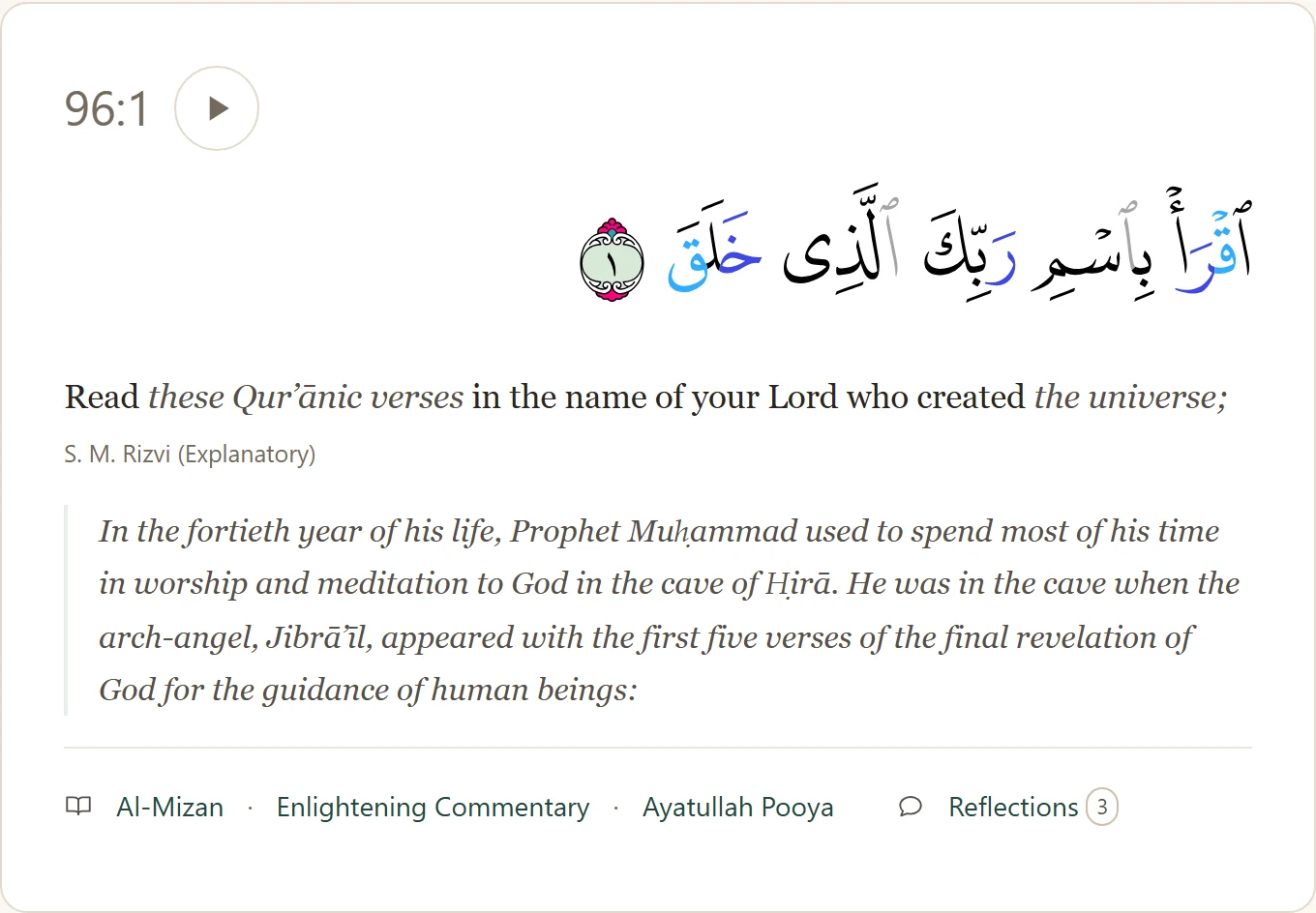
-
A contextual translation
Rizvi's explanatory reading, with every word supplied for sense set in italics.
-
Al-Mizan and the Enlightening Commentary
Every verse, both of them. Beside the Qur'an, never in a new tab.
-
A second translation
Ali Quli Qarai inline, and Saheeh International as a third.
-
Organised by topic
Surahs gathered under the edition's own topic headings.
-
The Uthmani mushaf
The printed mushaf's own script, coloured for tajweed, with a legend.
-
Word by word
Tap a word: its meaning, its transliteration, and that one word recited.
-
Dictionary and grammar
Behind that tap: the root, the grammar, every verse that uses it. Grammar from the Quranic Arabic Corpus, definitions from Lane.
-
Narrations that cite the verse
Where a collection of the school of Ahl al-Bayt cites the verse by number. Each entry opens at Thaqalayn.
-
Commentary and footnotes
Rizvi's commentary sits with the verse it explains; footnotes stay with their line.
-
Your setup, remembered
Every layer toggles, and the page keeps your arrangement.
Display & Audio
Every switch the page has, behind one button. Nothing reloads.
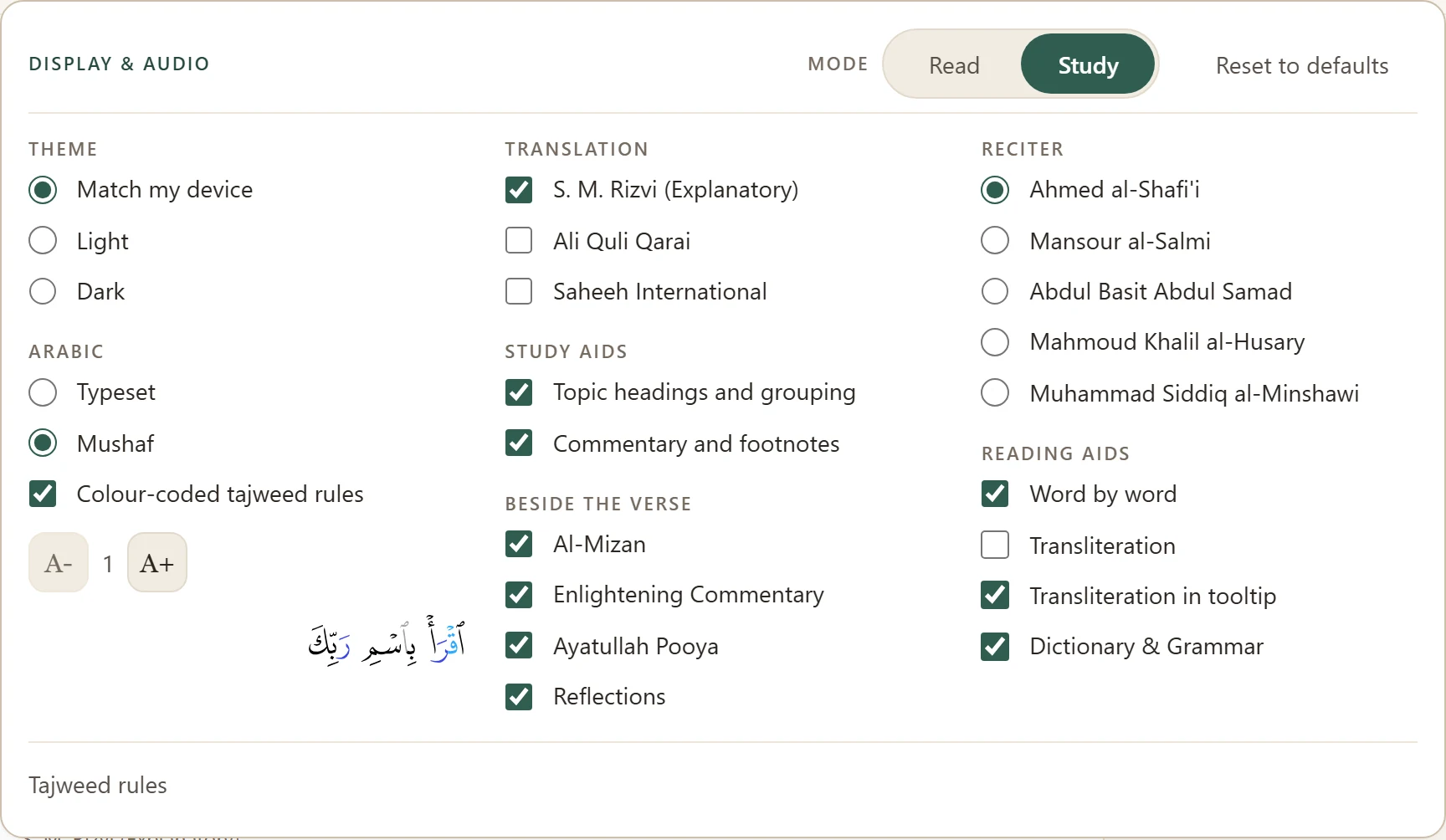
- Theme
- Device, light, or dark.
- Arabic
- Mushaf or typeset, tajweed on or off, and size on a scale of its own.
- Translation
- Which of the three run under the verse. Each carries its own credit.
- Study aids
- Topic headings, notes, footnotes.
- Beside the verse
- Which sources get a button. Off clears the button, not the source.
- Reciter
- Which of five voices the play button uses. No preset moves it.
- Reading aids
- Word by word, and whether transliteration runs under the Arabic or waits in the tooltip. The dictionary follows it.
Read, and Study
Two buttons that move a handful of switches. Neither is a mode you are stuck in.

- Read
- Arabic, tajweed, one translation. No notes, no headings, no buttons, no word by word, no dictionary. A surah to read start to finish.
- Study
- Notes, topic headings, the buttons under each verse, word by word, the dictionary behind it. Still one English column.
- What neither one touches
- Theme, Arabic face, size, reciter. Those are the reader, not a mode.
The commentary, beside the verse
A button under the verse opens the panel there, with a tab for each source.
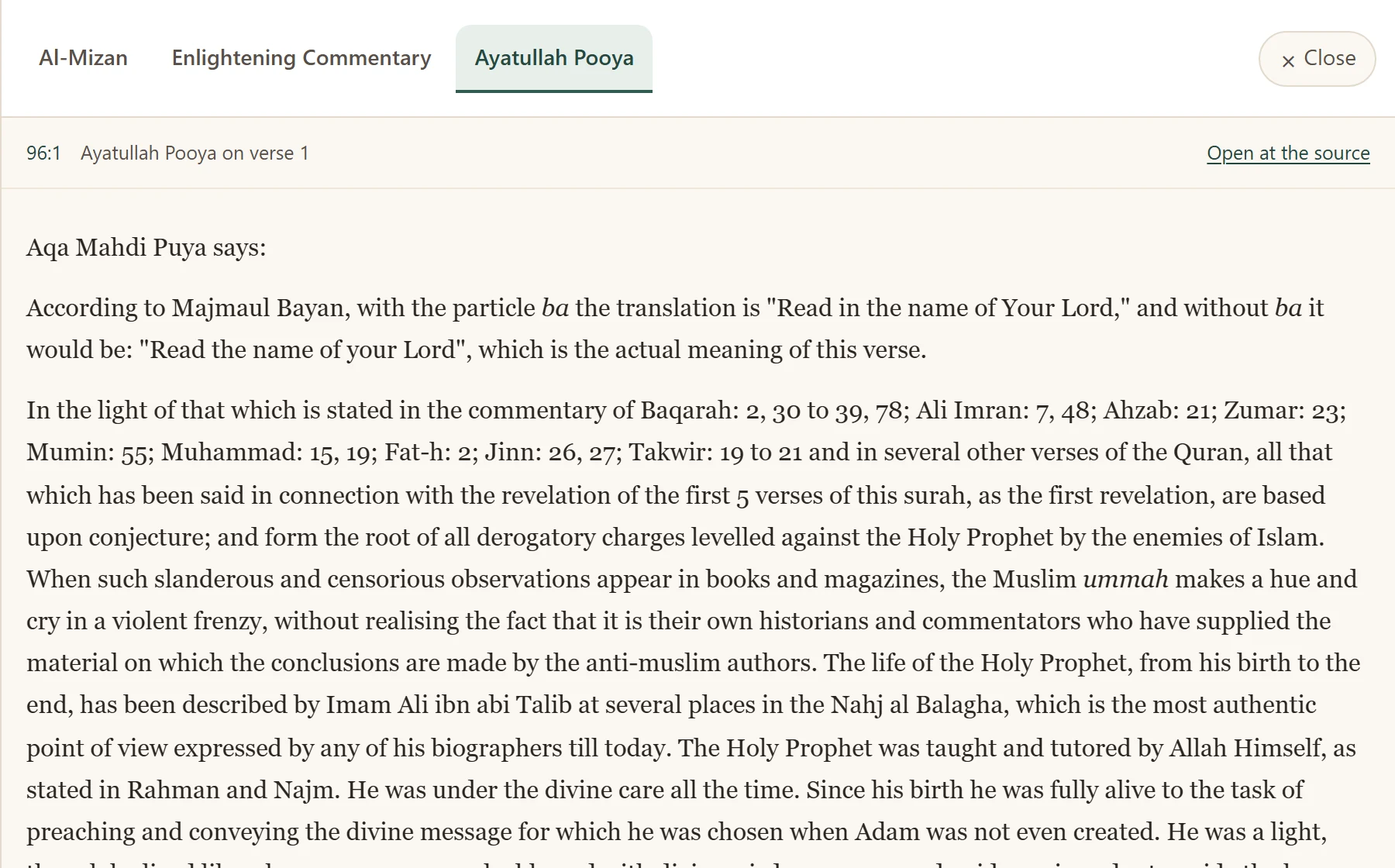
- Beside, never over
- The reading moves aside, never under. Close the panel and you are back at full width, on the same verse.
- On a phone and a tablet
- The panel rises as a sheet, full width. Two columns that narrow cannot be read.
- Each tab keeps its place
- Each source stays where you left it. One with nothing on this verse says so.
The dictionary, beside the verse
The whole entry, where the commentaries open. Looking a word up never costs you the verse.
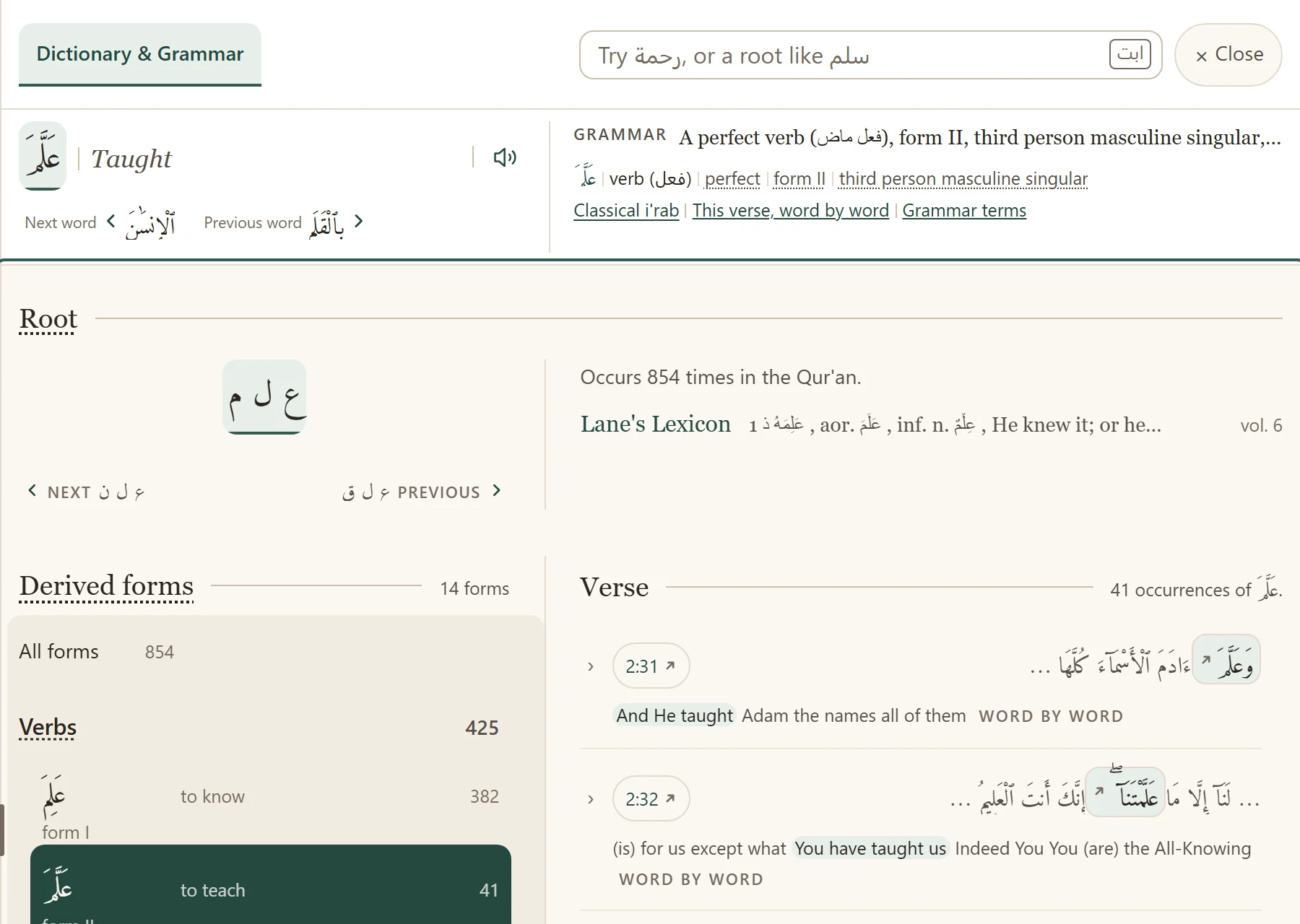
- The word, and what it is doing
- What it means here, that one word recited, and the grammar one line to a segment. Every term explains itself.
- The root, and everything on it
- Every word on the same root, grouped and counted. Choose one and its verses list beside it.
- Where it all comes from
- Grammar and roots from the Quranic Arabic Corpus; definitions from Lane's Lexicon, held here. Where Lane wrote nothing, the panel says so.
The narrations, beside the verse
A narration that cites a verse by number gives that verse an entry.
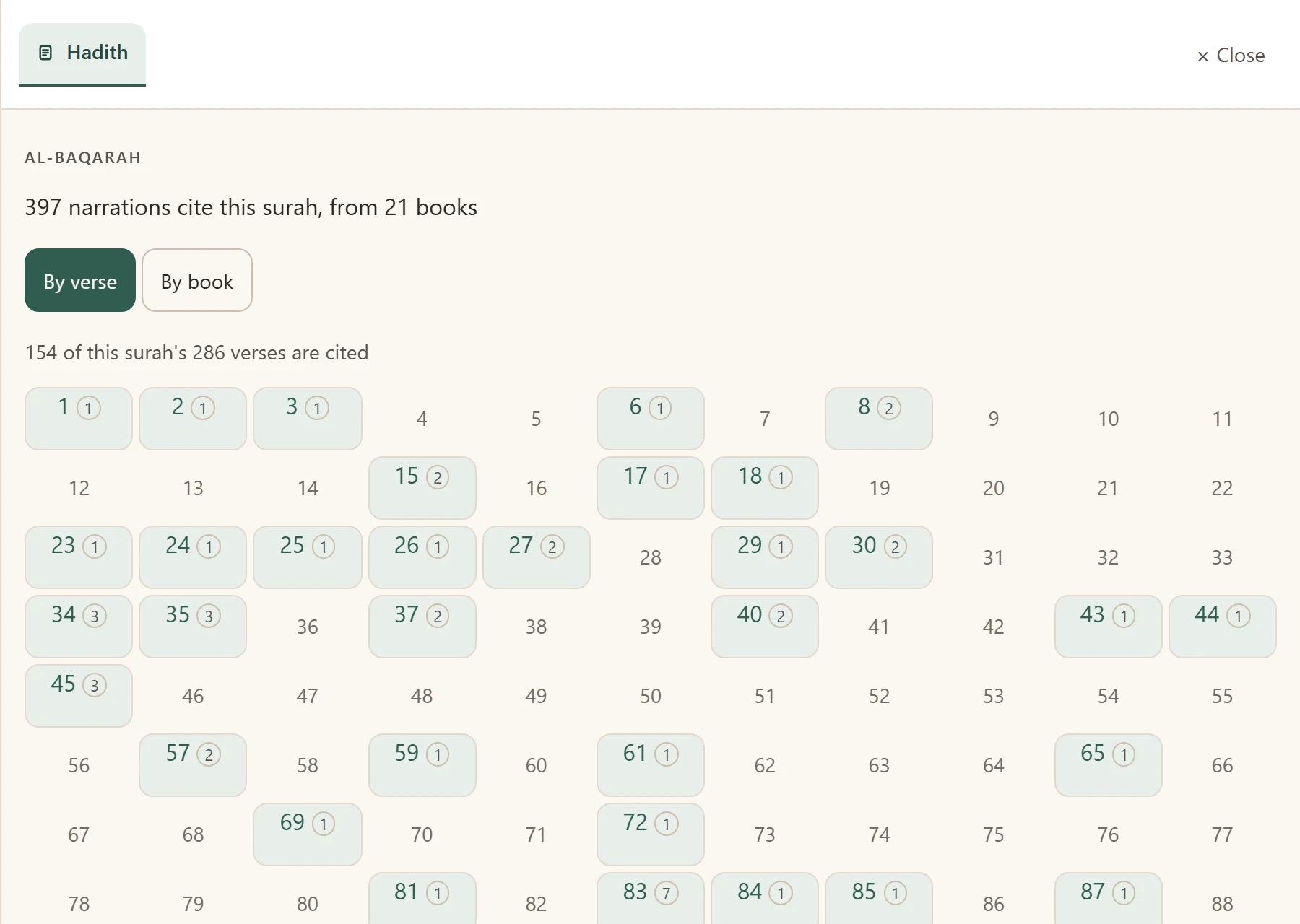
- Two doors into one list
- By verse maps the whole surah, speech and silence on one screen. By book groups them under their collection.
- An explicit citation, and nothing looser
- Only narrations whose translator printed a reference: 2,209 across 107 surahs, from 29 books. Matching wording would file one under the wrong verse.
- Held by nobody here
- A heading, a book, an address. Nothing is stored or framed here: every row opens at Thaqalayn (opens in a new tab), who publish the corpus. Every address is checked first.
One bar, both scripts
Type a surah's name in either one. Arabic reaches the dictionary as well.
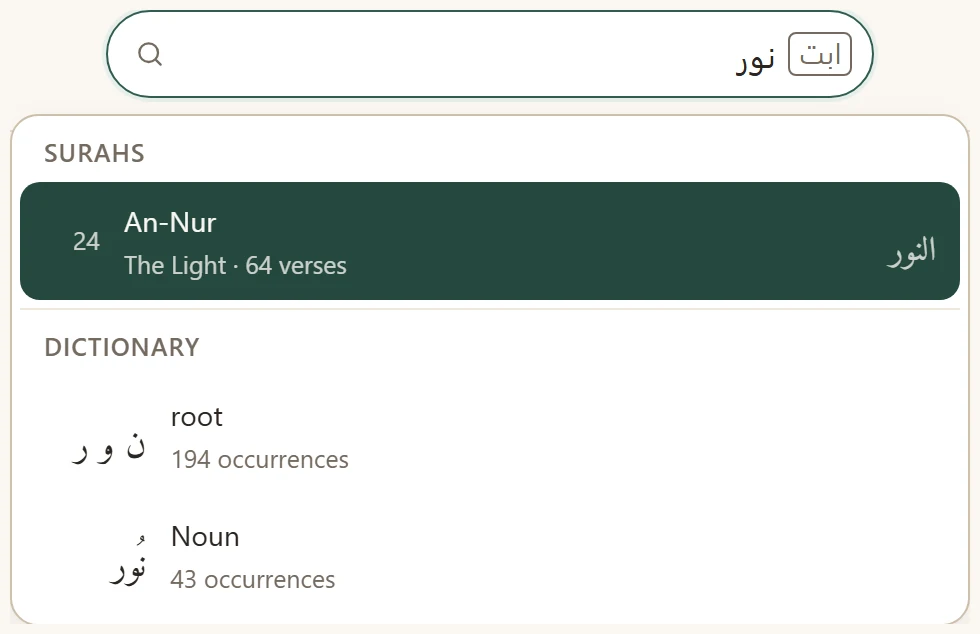
- However your keyboard spells it
- Roman English as always, and now Arabic typed plainly, without hamzas or vowel marks. An on-screen keyboard sits beside the box.
- Surahs and words, under their own headings
- Arabic finds roots and words too, listed apart so the two never blur.
- A root gets a page of its own
- A root belongs to no surah, so it opens the instrument about itself. Press an occurrence and the verse opens on that word.
Your own notes, beside the verse
Sign in and every verse gains a pen, next to the button that copies it.
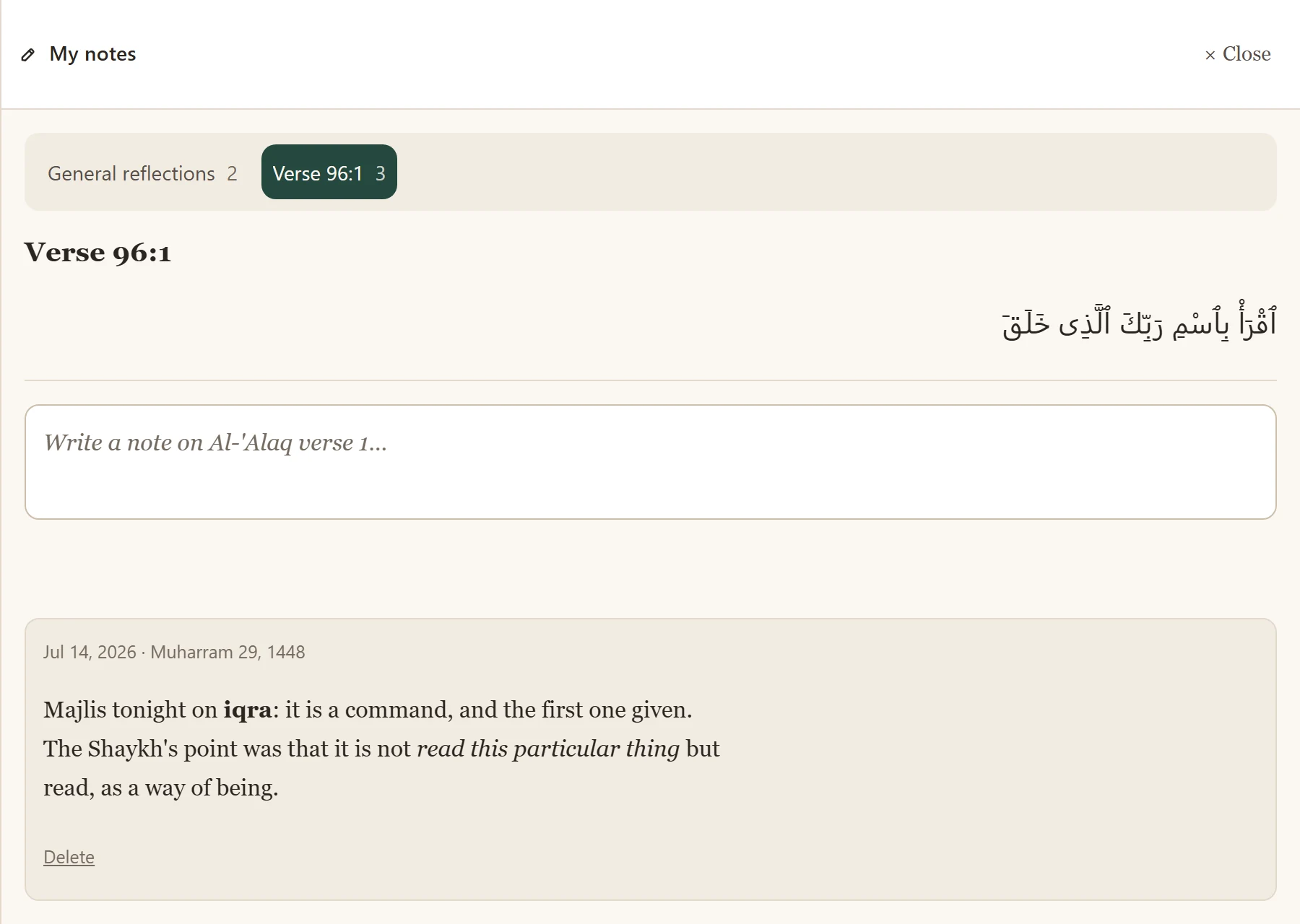
- A note, dated
- On the verse, or on the surah as a whole. Write again a month later and both are kept, each with the day it was written.
- Where you are reading
- The panel opens beside the verse, where the commentaries open. On a phone it rises as a sheet, and what you have typed survives closing it.
- One notebook, surah by surah
- Everything you have written, gathered at /notebook, with the verse folded away beside your own words until you ask for it.
That is the whole of it. The rest is the reading.
Read Qur'an Now